
Decision Engine
Insights are worthless if nothing happens.
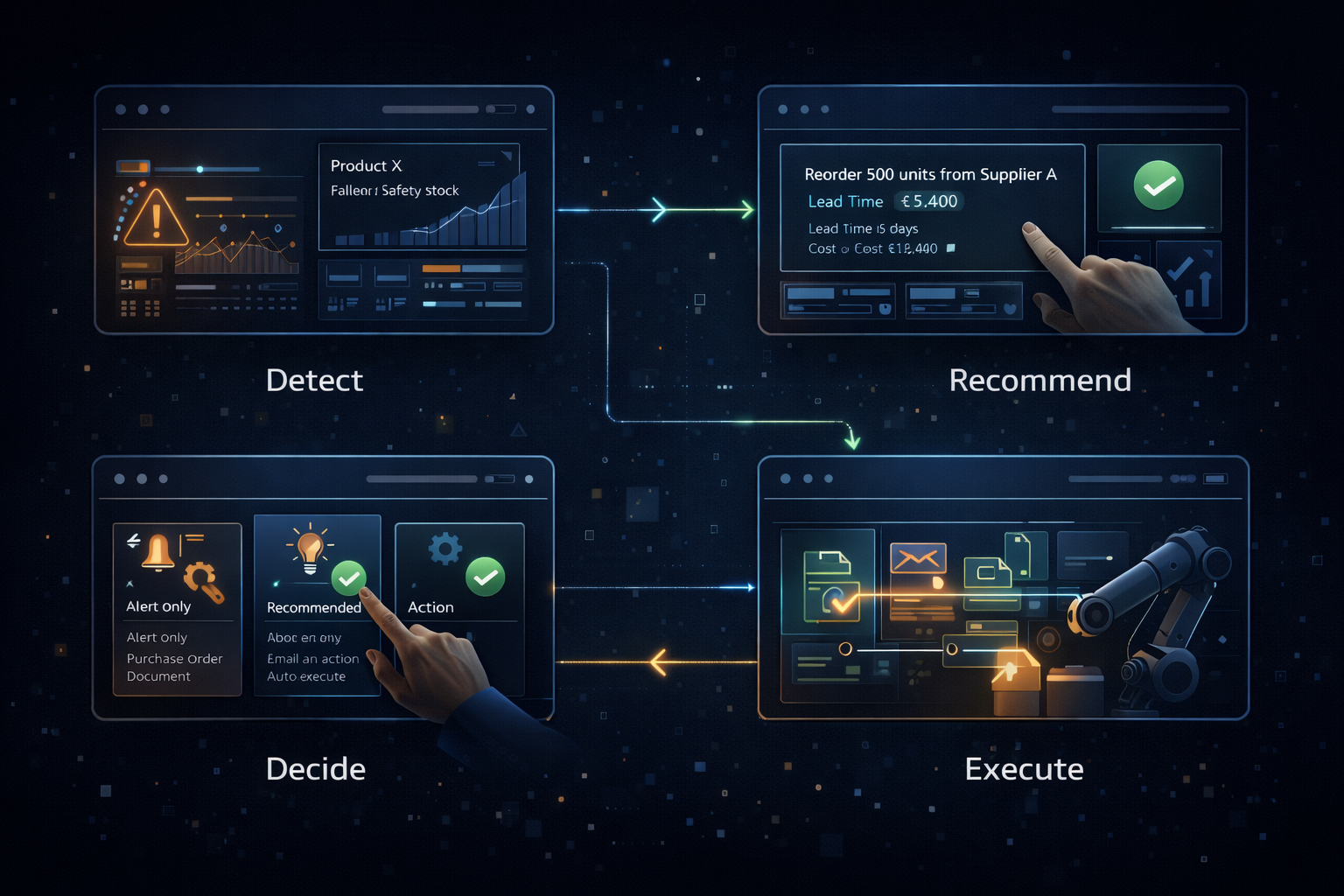
Most analytics tools stop at the dashboard. You see the problem. Then you schedule a meeting. Then you assign someone to fix it. Then you follow up. Weeks pass.
The Decision Engine closes the loop. It recommends actions and — when you're ready — executes them directly into your systems.
How It Works
1. Detect
The platform continuously monitors your business data. When something needs attention — an anomaly, a threshold breach, a trend change — it surfaces automatically.
Inventory for Product X drops below safety stock.
2. Recommend
Based on your business rules and historical patterns, the engine recommends specific actions. Not generic alerts — concrete next steps.
Recommendation: Reorder 500 units from Supplier A. Lead time: 5 days. Cost: €12,400.
3. Decide
You choose how much autonomy to give the system:
- Alert only — Notify the right person
- Recommend — Suggest action, require approval
- Auto-execute — Act within predefined parameters
4. Execute
Approved decisions flow back into your systems. Purchase orders get created. Emails get sent. Records get updated. No manual re-entry.
Example: Churn Prevention
The situation:
A high-value customer's usage has dropped 40% over two months. Payment is late. Support tickets are up.
Traditional approach:
Maybe someone notices in a quarterly review. Maybe not. By then, the customer has already signed with a competitor.
With Decision Engine:
The system detects the pattern early. It recommends: "Escalate to Account Manager. Offer 15% retention discount (within policy). Schedule executive check-in."
The account manager gets notified with full context. The discount is pre-approved. The meeting invite is drafted. All they have to do is click send.
Configurable Rules
You define how the engine behaves:
| Trigger | Condition | Action |
|---|---|---|
| Inventory low | Stock < 2 weeks supply | Generate PO, notify procurement |
| Customer at risk | Churn score > 80% | Alert account manager, suggest retention offer |
| Margin erosion | Product margin < 15% | Flag for pricing review |
| Payment overdue | Invoice > 30 days | Escalate to collections, pause new orders |
| Quality issue | Defect rate > 2% | Alert production, initiate root cause analysis |
Every rule is auditable. You can see what triggered, what was recommended, what was executed.
Guardrails Built In
Approval workflows — High-impact decisions require human sign-off.
Spending limits — Auto-execution stays within defined boundaries.
Escalation paths — Unusual situations get routed to the right people.
Full audit trail — Every decision, every action, every outcome is logged.
You're in control. The engine handles the routine so your team can focus on exceptions.
Business Impact
Faster response — Problems get addressed in hours, not weeks.
Consistent execution — Same situation, same response, every time.
Reduced manual work — Stop copying data between systems.
Better outcomes — Act while the window is still open.
Getting Started
Most organisations start with one or two high-volume, well-defined processes:
- Inventory replenishment
- Customer health monitoring
- Payment collection
- Quality alerts
Start simple. Prove the value. Expand from there.
Related Capabilities
- Context Mesh — Business Playbooks define the rules the Decision Engine executes
- Predictive Analytics — Act on predictions automatically